XML Sitemap Generator
XML Sitemap Generator
Generate a clean XML sitemap from a real crawl of your website to help with your technical SEO. Our server does the crawling, so there are no browser limits, no flaky proxies and no missed pages. Enter your URL, set your limits and download a ready-to-submit sitemap.xml in under a minute.
Let's find your next lever for growth .
Book a Discovery Call.
Audit current organic performance.
Map out exactly where your opportunity is.
"Our work with Growthack was about much more than just SEO. It was about truly understanding our buyers and bringing our brand to life in a way that resonated with them. The results speak for themselves: a significant increase in qualified leads, stronger brand authority and a website that actively supports our growth ambitions."

Victoria Beaven
Head of Marketing, elementsuite
" width="0px"/></svg>)
No pitch decks, no pressure. Tell us where you are and we'll share how we can help.
60+
Partnerships over 5 years
98%
Satisfaction Rate.
Let's find your next lever for growth .
Book a Discovery Call.
Audit current organic performance.
Map out exactly where your opportunity is.
"Our work with Growthack was about much more than just SEO. It was about truly understanding our buyers and bringing our brand to life in a way that resonated with them. The results speak for themselves: a significant increase in qualified leads, stronger brand authority and a website that actively supports our growth ambitions."
Victoria Beaven
Head of Marketing, elementsuite
No pitch decks, no pressure. Tell us where you are and we'll share how we can help.
60+
Partnerships over 5 years
98%
Satisfaction Rate.
Let's find your next lever for growth .
Book a Discovery Call.
Audit current organic performance.
Map out exactly where your opportunity is.
"Our work with Growthack was about much more than just SEO. It was about truly understanding our buyers and bringing our brand to life in a way that resonated with them. The results speak for themselves: a significant increase in qualified leads, stronger brand authority and a website that actively supports our growth ambitions."
Victoria Beaven
Head of Marketing, elementsuite
No pitch decks, no pressure. Tell us where you are and we'll share how we can help.
60+
Partnerships over 5 years
98%
Satisfaction Rate.
About this tool
Most free sitemap generators run in your browser, which means they rely on third-party proxies that fail or rate-limit without warning. This tool crawls from our own servers instead. It fetches your pages directly, follows internal links breadth-first, respects your robots.txt rules, resolves redirects to their final URLs and skips assets like images, scripts and PDFs. The result is a sitemap built from the pages that actually exist on your site, formatted to the sitemaps.org standard and ready for Google Search Console or Bing Webmaster Tools.
Use cases
New site launches. Generate a complete sitemap before you submit a new site to search engines.
Migrations and rebuilds. Crawl the new site and compare the sitemap against your old URL list to catch missing pages.
Sites without a CMS sitemap. Static sites and older platforms often have no sitemap feature at all. This fills the gap.
Sitemap audits. Compare what a real crawl finds against the sitemap your CMS produces to spot orphaned or unexpected pages.
Curated sitemaps. Use include and exclude patterns to build a sitemap for one section of a site, such as /blog/ only.
How to generate XML sitemaps
Enter your website URL. Start from the homepage, or from a section page if you only want part of the site.
Set your crawl limits. Choose the maximum pages (up to 200 per crawl) and maximum depth. The defaults suit most small and medium sites.
Add URL patterns (optional). Include or exclude sections with simple patterns such as /blog/* or *.pdf.
Or upload a CSV. Already have a URL list? Upload it and skip the crawl entirely, or combine it with a crawl.
Generate and review. You will see the total URLs found, the crawl depth reached and a preview of the XML.
Download sitemap.xml and submit it to Google Search Console.
FAQs
How many pages can it crawl?
Up to 200 pages per run. For larger sites, you can run separate crawls per section using include patterns, or upload a full URL list as a CSV.
Does it respect robots.txt?
Yes. Pages disallowed in your robots.txt are excluded from the crawl and the sitemap.
How does it handle redirects?
Redirected URLs are resolved to their final destination, so your sitemap lists the canonical page rather than the redirecting address.
Why did it find fewer pages than my site has?
The crawler follows standard HTML links. Pages that are only reachable through JavaScript-rendered navigation, or that are not linked internally at all, will not be found. Linking every page from somewhere on your site fixes this and is good SEO practice anyway.
Why do repeat crawls return instantly?
Crawl results are cached for up to 24 hours. If you have just changed your site, adjust a setting slightly to trigger a fresh crawl.
Is it free?
Yes, free with no signup. If you would like help with technical SEO beyond sitemaps, contact [email protected] or book a call.

Testimonials
"Repton School has worked with Growthack for the past year and the impact has been outstanding. We have seen a significant increase in organic traffic to our website, much stronger Google rankings across key search terms, and a clear rise in enquiries to the school as a direct result of their work."
The team are knowledgeable, proactive and an absolute pleasure to work with. We would highly recommend Growthack to any organisation looking to strengthen its digital presence.

Repton School
Marketing Team
"Repton School has worked with Growthack for the past year and the impact has been outstanding. We have seen a significant increase in organic traffic to our website, much stronger Google rankings across key search terms, and a clear rise in enquiries to the school as a direct result of their work."
The team are knowledgeable, proactive and an absolute pleasure to work with. We would highly recommend Growthack to any organisation looking to strengthen its digital presence.
Repton School
Marketing Team
5
/ 5
Based on 30+ Google reviews.
"Working with Growthack over the past 12 months has been transformative for PassMeFast's organic performance. From the outset, the team took the time to understand our business model, customer intent, and technical challenges — especially following a complex CMS migration that had a significant impact on traffic and leads."
"Working with Growthack over the past 12 months has been transformative for PassMeFast's organic performance. From the outset, the team took the time to understand our business model, customer intent, and technical challenges — especially following a complex CMS migration that had a significant impact on traffic and leads."

Albena Dimitrova
Head of Digital, PassMeFast
"Kevin and his team provide not only expertise in organic search optimisation, but great communication and care for our business. We recently relaunched our website, and their advice and attention to detail played a significant contribution to a seamless migration with immediate positive results in organic visit activity."
"Kevin and his team provide not only expertise in organic search optimisation, but great communication and care for our business. We recently relaunched our website, and their advice and attention to detail played a significant contribution to a seamless migration with immediate positive results in organic visit activity."

Matt Ward
Head of Retail, Manage At Home
"I've found Growthack easy to work with and communication has been consistently good. They explain things clearly and make SEO straightforward for us to understand and implement. The team brings a broad range of expertise, with everyone contributing their own perspective and ideas. We'd happily recommend them to other companies looking for a practical and knowledgeable SEO partner."
"I've found Growthack easy to work with and communication has been consistently good. They explain things clearly and make SEO straightforward for us to understand and implement. The team brings a broad range of expertise, with everyone contributing their own perspective and ideas. We'd happily recommend them to other companies looking for a practical and knowledgeable SEO partner."

Adam Dickens
Marketing Executive, SIS Pitches
"Working with Growthack over the past 12 months has been transformative for PassMeFast's organic performance. From the outset, the team took the time to understand our business model, customer intent, and technical challenges — especially following a complex CMS migration that had a significant impact on traffic and leads."
"Working with Growthack over the past 12 months has been transformative for PassMeFast's organic performance. From the outset, the team took the time to understand our business model, customer intent, and technical challenges — especially following a complex CMS migration that had a significant impact on traffic and leads."
Albena Dimitrova
Head of Digital, PassMeFast
"Kevin and his team provide not only expertise in organic search optimisation, but great communication and care for our business. We recently relaunched our website, and their advice and attention to detail played a significant contribution to a seamless migration with immediate positive results in organic visit activity."
"Kevin and his team provide not only expertise in organic search optimisation, but great communication and care for our business. We recently relaunched our website, and their advice and attention to detail played a significant contribution to a seamless migration with immediate positive results in organic visit activity."
Matt Ward
Head of Retail, Manage At Home
"I've found Growthack easy to work with and communication has been consistently good. They explain things clearly and make SEO straightforward for us to understand and implement. The team brings a broad range of expertise, with everyone contributing their own perspective and ideas. We'd happily recommend them to other companies looking for a practical and knowledgeable SEO partner."
"I've found Growthack easy to work with and communication has been consistently good. They explain things clearly and make SEO straightforward for us to understand and implement. The team brings a broad range of expertise, with everyone contributing their own perspective and ideas. We'd happily recommend them to other companies looking for a practical and knowledgeable SEO partner."
Adam Dickens
Marketing Executive, SIS Pitches
"Working with Growthack over the past 12 months has been transformative for PassMeFast's organic performance. From the outset, the team took the time to understand our business model, customer intent, and technical challenges — especially following a complex CMS migration that had a significant impact on traffic and leads."
"Working with Growthack over the past 12 months has been transformative for PassMeFast's organic performance. From the outset, the team took the time to understand our business model, customer intent, and technical challenges — especially following a complex CMS migration that had a significant impact on traffic and leads."
Albena Dimitrova
Head of Digital, PassMeFast
"Kevin and his team provide not only expertise in organic search optimisation, but great communication and care for our business. We recently relaunched our website, and their advice and attention to detail played a significant contribution to a seamless migration with immediate positive results in organic visit activity."
"Kevin and his team provide not only expertise in organic search optimisation, but great communication and care for our business. We recently relaunched our website, and their advice and attention to detail played a significant contribution to a seamless migration with immediate positive results in organic visit activity."
Matt Ward
Head of Retail, Manage At Home
"I've found Growthack easy to work with and communication has been consistently good. They explain things clearly and make SEO straightforward for us to understand and implement. The team brings a broad range of expertise, with everyone contributing their own perspective and ideas. We'd happily recommend them to other companies looking for a practical and knowledgeable SEO partner."
"I've found Growthack easy to work with and communication has been consistently good. They explain things clearly and make SEO straightforward for us to understand and implement. The team brings a broad range of expertise, with everyone contributing their own perspective and ideas. We'd happily recommend them to other companies looking for a practical and knowledgeable SEO partner."
Adam Dickens
Marketing Executive, SIS Pitches
x
Average organic growth within 12 months post-migration
x
Average organic growth within 12 months post-migration
x
Average organic growth within 12 months post-migration
£
M
Annual revenue attributed to organic each year
£
M
Annual revenue attributed to organic each year
£
M
Annual revenue attributed to organic each year
%
Client retention rate after year one
%
Client retention rate after year one
+
Brands helped with our organic growth systems
+
Brands helped with our organic growth systems
We're in the business of making things actually happen for our clients.
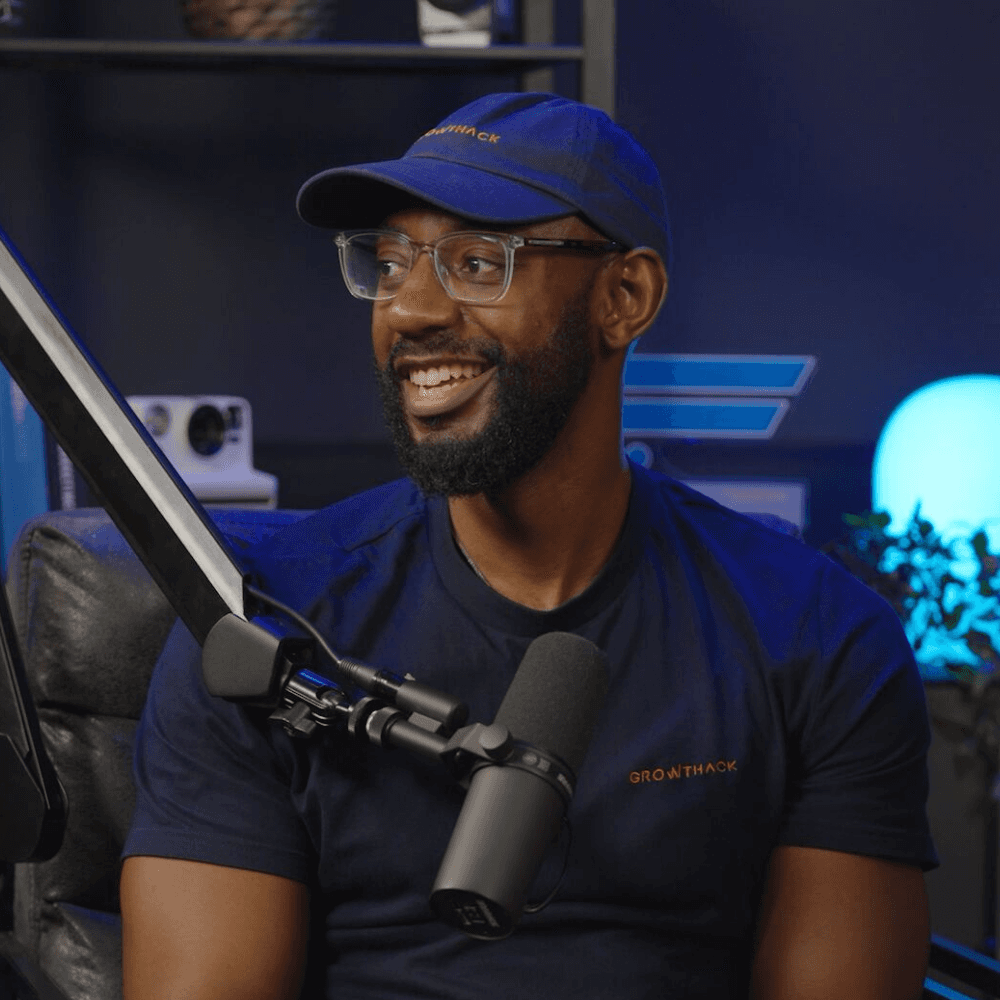
I've personally led 60+ growth engagements. Let me show you what's possible for yours.


Kevin Kapezi
Founder & Director
FAQs
AI Search
Migrations
General
Beyond SEO®
Pricing
Process
How do you actually measure AI visibility?
We start by defining a representative set of commercially relevant prompts and buyer queries around your products, services and market. These become the benchmark for ongoing AI visibility tracking, reported in a live dashboard alongside your traditional organic performance instead of a one-off audit.
The dashboard tracks AI Overview Presence (how often Google's AI Overview cites you across that keyword set), AI Brand Mentions (how often ChatGPT names you directly), and AI Search Opportunity (keywords you already rank for but aren't yet cited on –– the fastest-moving target).
Underneath that sits your actual citation footprint: which of your pages AI systems are pulling from, broken down by content type, with real example answers showing exactly what was asked and what got cited.
Every keyword is checked head-to-head against named competitors, so it's clear not just whether you're showing up, but whether a rival is showing up instead. Because generated answers can change considerably over time, we focus on trends across a consistent query set rather than individual responses.
You can see a live example, with sample data, at reports.growthack.io/demo/
What does an AI Search Visibility engagement actually include?
We begin by establishing a baseline of your existing AI visibility and identifying the topics, prompts and competitors that matter commercially.
From there, we assess and audit the signals influencing that visibility across technical architecture, entities, structured data, content and third-party authority. Recommendations are prioritised according to the gaps identified rather than applying a generic GEO checklist.
For ongoing engagements, we then monitor the same query set over time, compare your visibility against competitors and report AI performance alongside organic search and commercial KPIs.
This creates a repeatable process:
Benchmark → diagnose → prioritise → implement → monitor → improve.
Can I check my own AI visibility before talking to you?
Yes. Our free AI Visibility Checker provides an initial benchmark of how your brand appears within AI-powered search experiences.
You can also use our AI Overviews Share of Voice tool to assess visibility within Google's AI-generated results and compare your presence against competitors.
These tools provide a useful starting point. Client reporting goes further by tracking a defined set of commercially relevant queries consistently over time.
Is AI search reducing organic traffic, and how do you account for that?
AI-generated answers can reduce clicks for some searches because users increasingly receive information without visiting a website. That makes click volume alone an increasingly incomplete measure of organic performance.
Our reporting therefore considers search visibility, AI visibility, qualified traffic and commercial outcomes together. The objective isn't simply to maximise clicks. It's to understand whether your brand is being discovered by the right audiences and whether organic and AI search are contributing to demand, conversions and revenue.
This also means we don't interpret declining informational clicks in isolation if visibility and commercial performance tell a different story.
Do you guarantee AI visibility or citations?
No. No credible agency can guarantee rankings, AI citations or inclusion within a particular generated response.
AI results are dynamic and ultimately controlled by the platforms producing them.
What we do guarantee is clear strategy, honest advice and execution based on evidence. We establish a measurable baseline, identify the areas where your visibility can realistically be improved and monitor performance over time.
What makes a brand more likely to appear in AI search results?
There isn't a single GEO ranking factor.
AI visibility is influenced by a combination of signals including technically accessible content, clear brand and entity information, topical relevance, structured information and credible third-party references.
We therefore look for gaps across your website and wider digital footprint rather than simply optimising individual pages for ChatGPT. Our Technical Architecture and Authority Building systems address two important parts of that wider picture.
Which AI platforms do you track?
We monitor visibility across major AI-powered discovery platforms including ChatGPT, Google AI Overviews, Gemini and Perplexity.
Rather than treating every platform equally, reporting focuses on the platforms and query types most relevant to your audience. The monitoring set can also evolve as AI search behaviour changes and new platforms gain meaningful adoption.
How is AI Search Visibility different from traditional SEO?
Traditional SEO primarily measures how webpages perform within search engines through metrics such as rankings, impressions, clicks and organic conversions.
AI Search Visibility adds another layer: whether your brand appears within generated answers, how frequently it appears compared with competitors and which sources AI systems use when forming those answers.
The disciplines overlap heavily. Strong technical SEO, useful content and established brand authority remain important foundations for AI visibility. This is why we treat AI search as part of our Beyond SEO® approach rather than as a replacement for SEO.
What is AI Search Visibility (or GEO)?
AI Search Visibility measures how visible a brand is within AI-powered search experiences such as ChatGPT, Google AI Overviews, Gemini and Perplexity.
Generative Engine Optimisation (GEO) describes the work involved in improving that visibility. Rather than focusing solely on where an individual webpage ranks, we look at whether AI systems understand, mention, cite or recommend your brand for commercially relevant topics and buyer queries.

More questions? Reach out anytime.
Copied!
FAQs
AI Search
Migrations
General
Beyond SEO®
Pricing
Process
How do you actually measure AI visibility?
We start by defining a representative set of commercially relevant prompts and buyer queries around your products, services and market. These become the benchmark for ongoing AI visibility tracking, reported in a live dashboard alongside your traditional organic performance instead of a one-off audit.
The dashboard tracks AI Overview Presence (how often Google's AI Overview cites you across that keyword set), AI Brand Mentions (how often ChatGPT names you directly), and AI Search Opportunity (keywords you already rank for but aren't yet cited on –– the fastest-moving target).
Underneath that sits your actual citation footprint: which of your pages AI systems are pulling from, broken down by content type, with real example answers showing exactly what was asked and what got cited.
Every keyword is checked head-to-head against named competitors, so it's clear not just whether you're showing up, but whether a rival is showing up instead. Because generated answers can change considerably over time, we focus on trends across a consistent query set rather than individual responses.
You can see a live example, with sample data, at reports.growthack.io/demo/
What does an AI Search Visibility engagement actually include?
We begin by establishing a baseline of your existing AI visibility and identifying the topics, prompts and competitors that matter commercially.
From there, we assess and audit the signals influencing that visibility across technical architecture, entities, structured data, content and third-party authority. Recommendations are prioritised according to the gaps identified rather than applying a generic GEO checklist.
For ongoing engagements, we then monitor the same query set over time, compare your visibility against competitors and report AI performance alongside organic search and commercial KPIs.
This creates a repeatable process:
Benchmark → diagnose → prioritise → implement → monitor → improve.
Can I check my own AI visibility before talking to you?
Yes. Our free AI Visibility Checker provides an initial benchmark of how your brand appears within AI-powered search experiences.
You can also use our AI Overviews Share of Voice tool to assess visibility within Google's AI-generated results and compare your presence against competitors.
These tools provide a useful starting point. Client reporting goes further by tracking a defined set of commercially relevant queries consistently over time.
Is AI search reducing organic traffic, and how do you account for that?
AI-generated answers can reduce clicks for some searches because users increasingly receive information without visiting a website. That makes click volume alone an increasingly incomplete measure of organic performance.
Our reporting therefore considers search visibility, AI visibility, qualified traffic and commercial outcomes together. The objective isn't simply to maximise clicks. It's to understand whether your brand is being discovered by the right audiences and whether organic and AI search are contributing to demand, conversions and revenue.
This also means we don't interpret declining informational clicks in isolation if visibility and commercial performance tell a different story.
Do you guarantee AI visibility or citations?
No. No credible agency can guarantee rankings, AI citations or inclusion within a particular generated response.
AI results are dynamic and ultimately controlled by the platforms producing them.
What we do guarantee is clear strategy, honest advice and execution based on evidence. We establish a measurable baseline, identify the areas where your visibility can realistically be improved and monitor performance over time.
What makes a brand more likely to appear in AI search results?
There isn't a single GEO ranking factor.
AI visibility is influenced by a combination of signals including technically accessible content, clear brand and entity information, topical relevance, structured information and credible third-party references.
We therefore look for gaps across your website and wider digital footprint rather than simply optimising individual pages for ChatGPT. Our Technical Architecture and Authority Building systems address two important parts of that wider picture.
Which AI platforms do you track?
We monitor visibility across major AI-powered discovery platforms including ChatGPT, Google AI Overviews, Gemini and Perplexity.
Rather than treating every platform equally, reporting focuses on the platforms and query types most relevant to your audience. The monitoring set can also evolve as AI search behaviour changes and new platforms gain meaningful adoption.
How is AI Search Visibility different from traditional SEO?
Traditional SEO primarily measures how webpages perform within search engines through metrics such as rankings, impressions, clicks and organic conversions.
AI Search Visibility adds another layer: whether your brand appears within generated answers, how frequently it appears compared with competitors and which sources AI systems use when forming those answers.
The disciplines overlap heavily. Strong technical SEO, useful content and established brand authority remain important foundations for AI visibility. This is why we treat AI search as part of our Beyond SEO® approach rather than as a replacement for SEO.
What is AI Search Visibility (or GEO)?
AI Search Visibility measures how visible a brand is within AI-powered search experiences such as ChatGPT, Google AI Overviews, Gemini and Perplexity.
Generative Engine Optimisation (GEO) describes the work involved in improving that visibility. Rather than focusing solely on where an individual webpage ranks, we look at whether AI systems understand, mention, cite or recommend your brand for commercially relevant topics and buyer queries.
More questions? Reach out anytime.
Copied!
FAQs
AI Search
Migrations
General
Beyond SEO®
Pricing
Process
How do you actually measure AI visibility?
We start by defining a representative set of commercially relevant prompts and buyer queries around your products, services and market. These become the benchmark for ongoing AI visibility tracking, reported in a live dashboard alongside your traditional organic performance instead of a one-off audit.
The dashboard tracks AI Overview Presence (how often Google's AI Overview cites you across that keyword set), AI Brand Mentions (how often ChatGPT names you directly), and AI Search Opportunity (keywords you already rank for but aren't yet cited on –– the fastest-moving target).
Underneath that sits your actual citation footprint: which of your pages AI systems are pulling from, broken down by content type, with real example answers showing exactly what was asked and what got cited.
Every keyword is checked head-to-head against named competitors, so it's clear not just whether you're showing up, but whether a rival is showing up instead. Because generated answers can change considerably over time, we focus on trends across a consistent query set rather than individual responses.
You can see a live example, with sample data, at reports.growthack.io/demo/
What does an AI Search Visibility engagement actually include?
We begin by establishing a baseline of your existing AI visibility and identifying the topics, prompts and competitors that matter commercially.
From there, we assess and audit the signals influencing that visibility across technical architecture, entities, structured data, content and third-party authority. Recommendations are prioritised according to the gaps identified rather than applying a generic GEO checklist.
For ongoing engagements, we then monitor the same query set over time, compare your visibility against competitors and report AI performance alongside organic search and commercial KPIs.
This creates a repeatable process:
Benchmark → diagnose → prioritise → implement → monitor → improve.
Can I check my own AI visibility before talking to you?
Yes. Our free AI Visibility Checker provides an initial benchmark of how your brand appears within AI-powered search experiences.
You can also use our AI Overviews Share of Voice tool to assess visibility within Google's AI-generated results and compare your presence against competitors.
These tools provide a useful starting point. Client reporting goes further by tracking a defined set of commercially relevant queries consistently over time.
Is AI search reducing organic traffic, and how do you account for that?
AI-generated answers can reduce clicks for some searches because users increasingly receive information without visiting a website. That makes click volume alone an increasingly incomplete measure of organic performance.
Our reporting therefore considers search visibility, AI visibility, qualified traffic and commercial outcomes together. The objective isn't simply to maximise clicks. It's to understand whether your brand is being discovered by the right audiences and whether organic and AI search are contributing to demand, conversions and revenue.
This also means we don't interpret declining informational clicks in isolation if visibility and commercial performance tell a different story.
Do you guarantee AI visibility or citations?
No. No credible agency can guarantee rankings, AI citations or inclusion within a particular generated response.
AI results are dynamic and ultimately controlled by the platforms producing them.
What we do guarantee is clear strategy, honest advice and execution based on evidence. We establish a measurable baseline, identify the areas where your visibility can realistically be improved and monitor performance over time.
What makes a brand more likely to appear in AI search results?
There isn't a single GEO ranking factor.
AI visibility is influenced by a combination of signals including technically accessible content, clear brand and entity information, topical relevance, structured information and credible third-party references.
We therefore look for gaps across your website and wider digital footprint rather than simply optimising individual pages for ChatGPT. Our Technical Architecture and Authority Building systems address two important parts of that wider picture.
Which AI platforms do you track?
We monitor visibility across major AI-powered discovery platforms including ChatGPT, Google AI Overviews, Gemini and Perplexity.
Rather than treating every platform equally, reporting focuses on the platforms and query types most relevant to your audience. The monitoring set can also evolve as AI search behaviour changes and new platforms gain meaningful adoption.
How is AI Search Visibility different from traditional SEO?
Traditional SEO primarily measures how webpages perform within search engines through metrics such as rankings, impressions, clicks and organic conversions.
AI Search Visibility adds another layer: whether your brand appears within generated answers, how frequently it appears compared with competitors and which sources AI systems use when forming those answers.
The disciplines overlap heavily. Strong technical SEO, useful content and established brand authority remain important foundations for AI visibility. This is why we treat AI search as part of our Beyond SEO® approach rather than as a replacement for SEO.
What is AI Search Visibility (or GEO)?
AI Search Visibility measures how visible a brand is within AI-powered search experiences such as ChatGPT, Google AI Overviews, Gemini and Perplexity.
Generative Engine Optimisation (GEO) describes the work involved in improving that visibility. Rather than focusing solely on where an individual webpage ranks, we look at whether AI systems understand, mention, cite or recommend your brand for commercially relevant topics and buyer queries.
More questions? Reach out anytime.
Copied!

Meet the team behind the growth.

Aléna Anthony
Organic Growth Specialist
01
Aléna Anthony
Organic Growth Specialist

Sarif Sarker
Organic Growth Strategist
02
Sarif Sarker
Organic Growth Strategist
Kevin Kapezi
Founder & Director
03
Kevin Kapezi
Founder & Director

Specialist Partners
Best-in-class PPC, PR & UX
04
Specialist Partners
Best-in-class PPC, PR & UX

Join us, we're hiring.
We’re looking for highly ambitious and talented people to help us drive real growth.